
Temperature monitoring and cold spots
A heat treatment is only as reliable as its slowest-heating location. Monitoring is what shows where those locations are and how long they are held above target.
Why slow-heating locations matter
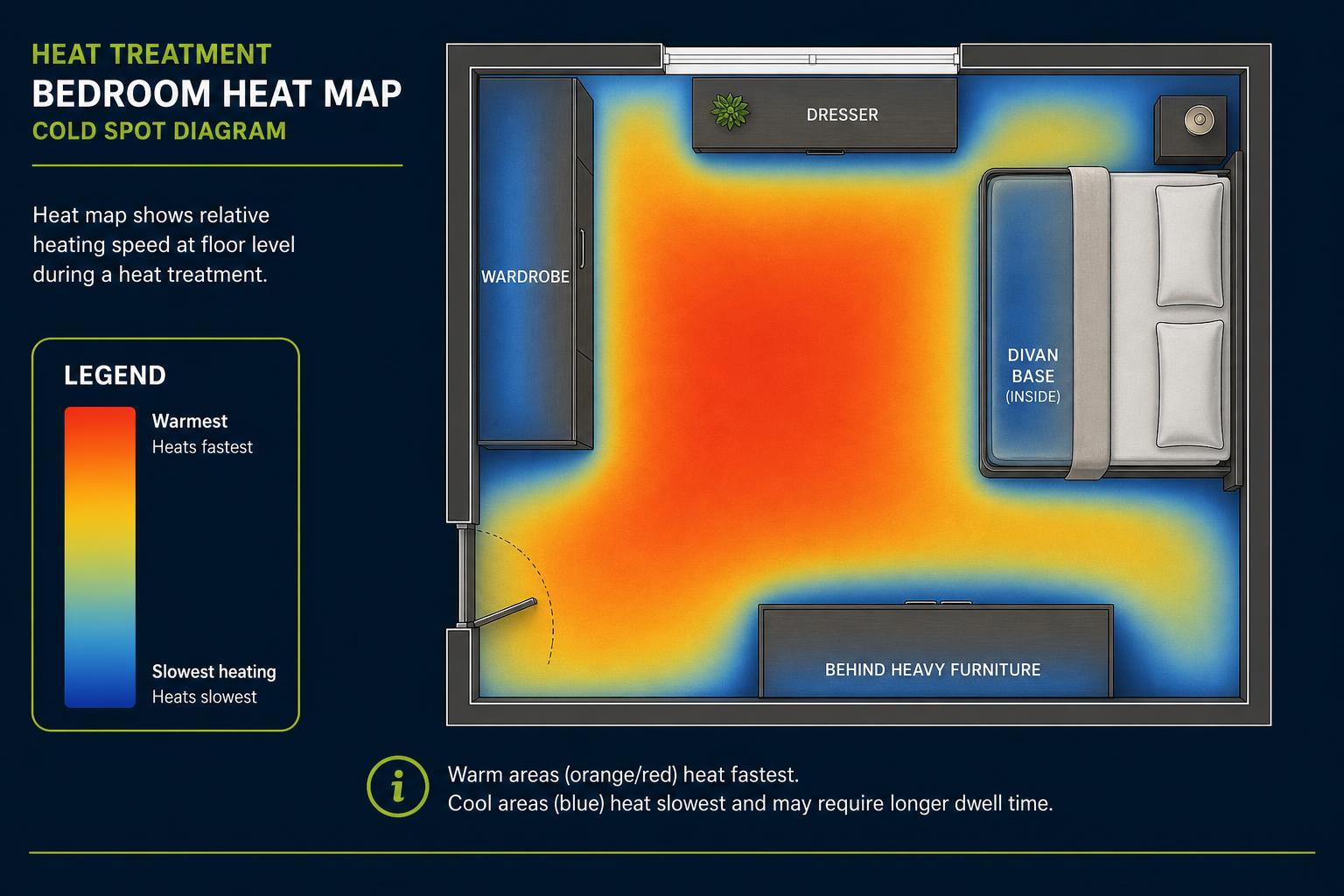
A heat treatment must account for the slowest-heating monitored locations. Room temperatures can rise quickly, but dense furniture, divan bases, mattresses, wardrobes, skirting edges and concealed harbourages may take considerably longer to reach the required temperature.
Continuous monitoring helps the technician identify these cold spots, adjust the treatment setup and confirm how long monitored locations remain above the treatment target.
Where the probes go
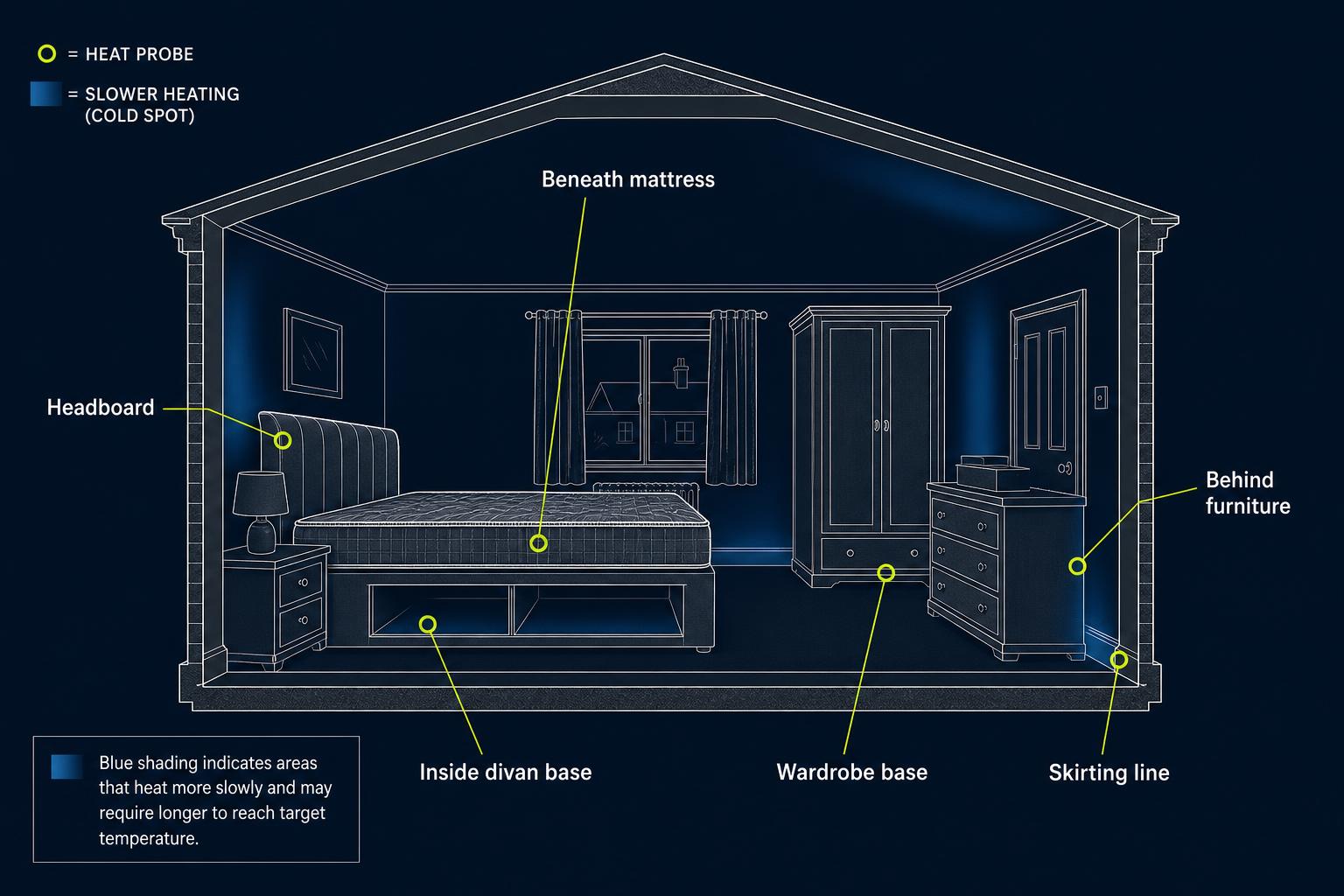
Temperature probes are not placed only where heating is easiest. Their positions are selected to represent areas where bed bugs may harbour and where heat is expected to arrive more slowly.
Probe locations vary according to the room, furniture, contents and findings from the initial inspection. No two properties are set up in exactly the same way.
- Inside or beneath divan bases
- Beneath or beside mattresses
- Within bed frames and headboards
- At the base of wardrobes
- Along skirting lines
- Behind heavy furniture
- Inside dense piles of belongings
- In sheltered corners or adjoining spaces
Why room-air temperature is not enough
Room-air temperature is useful, but it cannot confirm the temperature inside furniture, belongings and concealed harbourages.
For example, the centre of a room may already be above the working target while the inside of a divan base, headboard or densely packed item remains cooler. That is why HPE monitors multiple positions rather than relying on one reading from an open part of the room.
How HPE monitors the treatment
- Multiple monitoring points are used across the treatment area
- Positions are chosen according to the property, furniture, contents and likely cold spots
- Live readings are observed throughout the treatment
- Heaters and air movers may be repositioned when readings show uneven heat distribution
- Furniture and contents may be adjusted where safe and appropriate
- Technician checks support the electronic monitoring data
- The monitored hold period begins only after the slowest relevant probe has reached the required target
A typical monitored treatment
- 1
Set up and probe placementFrom 07:00
Heaters, air movers and monitoring points are positioned after a walk-round of the prepared rooms. Probe positions are recorded as they are placed.
- 2
Heat riseEarly hours
Room temperatures rise first. Readings from enclosed positions are watched closely, because these usually lag behind the open room.
- 3
AdjustmentAs readings require
Where readings show uneven distribution, heaters and air movers are repositioned and furniture or contents adjusted where safe and appropriate.
- 4
Monitored hold periodOnce target reached
The hold period begins only after the slowest relevant probe has reached the required target, and readings continue throughout.
- 5
Cool-down and recordNo later than 14:00
Equipment is shut down and removed, and the monitoring data is retained with the job record for the service record.
What the temperature log records
Each monitored position is recorded throughout the treatment. This creates a documented record of the monitored treatment conditions rather than relying solely on memory or a single room reading.
- Probe identifier
- Room or treatment zone
- Monitoring position
- Temperature reached
- Time the target was reached
- Duration above the selected threshold
- Technician checks
- Adjustments made during treatment
- Treatment completion time
Your customer service record
Where applicable, a summary of the temperature-monitoring results can be included within your Professional Service Record. A Temperature Verified badge is only shown where the supporting monitoring data has been reviewed and approved.
- Monitored rooms and zones
- Number of monitoring points
- Minimum and maximum recorded temperatures
- Duration above the selected treatment threshold
- Approved photographs
- Technician verification notes
- Treatment and aftercare information
Heating the room is only part of the process
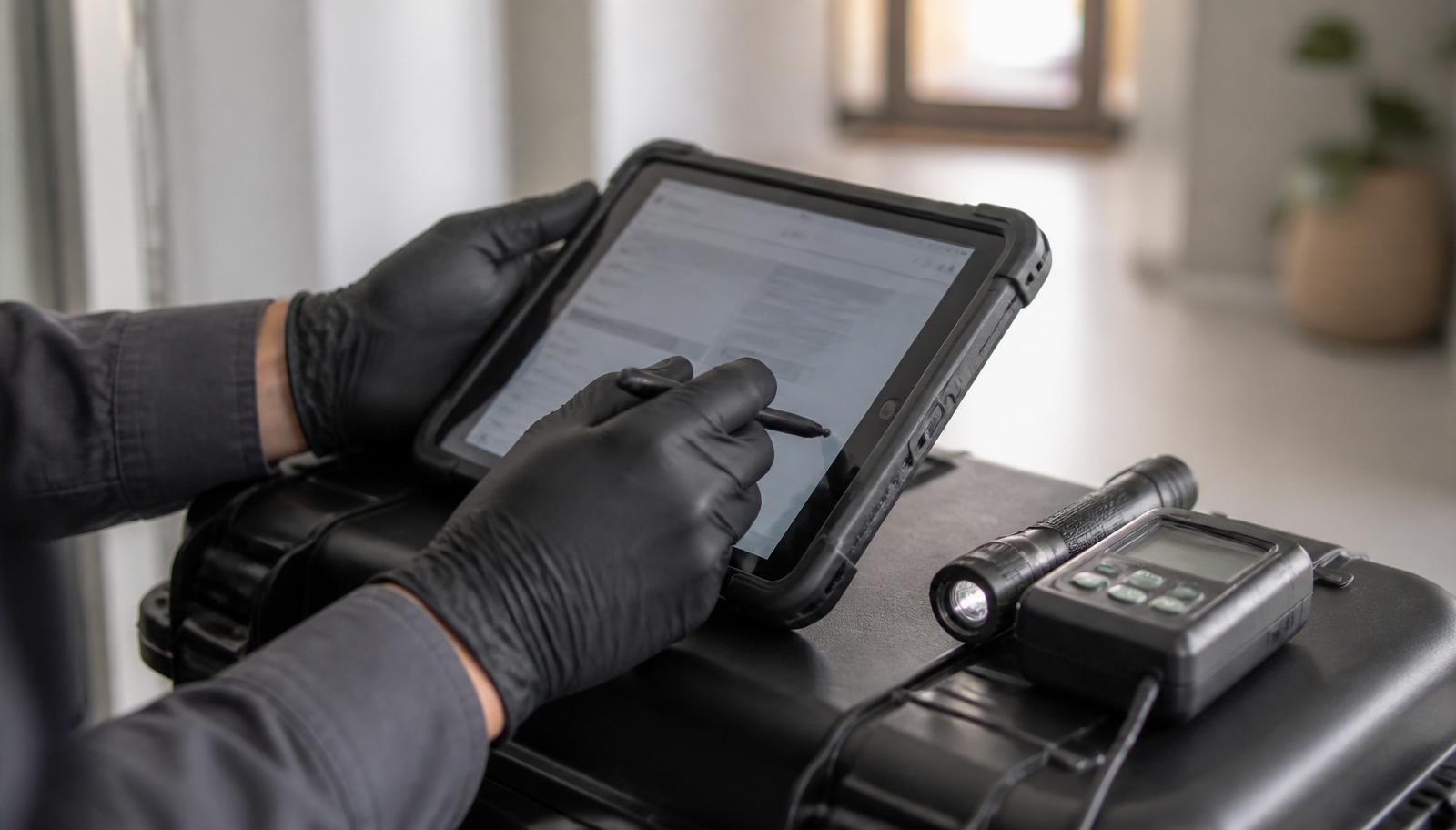
Monitoring shows how heat is reaching the areas that matter, where adjustments may be required and whether the monitored treatment conditions have been maintained for the planned period.
Diagrams on this page show example monitoring positions and demonstration data. Genuine anonymised HPE treatment data is always labelled as such and is never mixed with illustrative examples.
Common questions
- Can I see the temperature data?
- Yes. Monitoring data is retained with the job record and, where applicable, summarised in your Professional Service Record.
- How many probes are used?
- It varies. The number and position of monitoring points depend on the property, the rooms treated, the furniture and contents, and the findings from the inspection.
- What if one position will not come up to temperature?
- The technician works on it directly — repositioning heaters and air movers, opening up furniture where safe, and continuing within the working window until the reading reaches target.
- Is a room-air reading enough on its own?
- No. Room-air temperature is useful, but it cannot confirm the temperature inside furniture, belongings and concealed harbourages, which is why multiple positions are monitored.